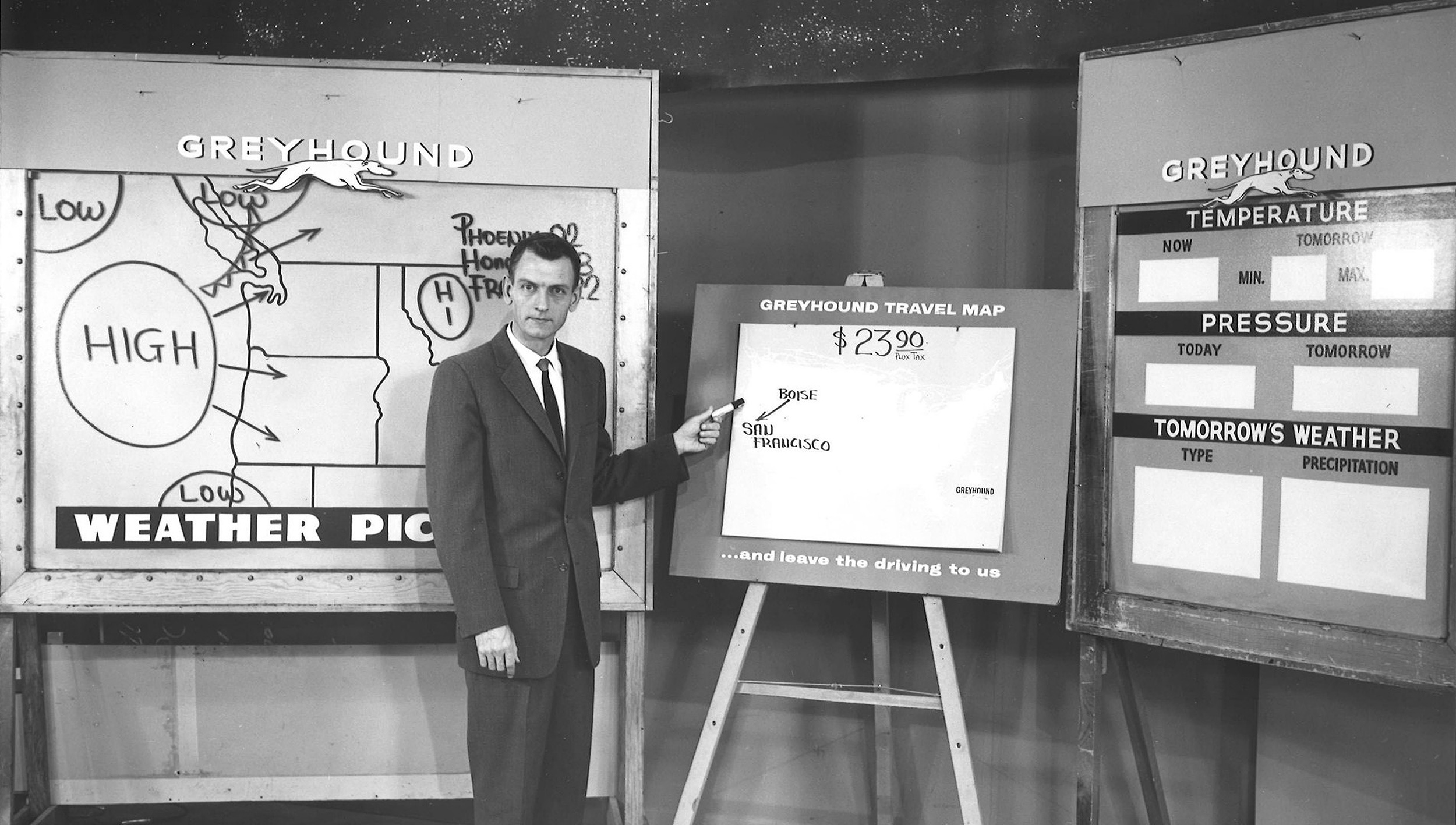
Before the internet—and before Steve Jobs put the power of information in the palm of everyone’s hand—getting the weather forecast wasn’t easy. You had only a few options. You could wait for the 5 p.m. news and hope the 90-second segment covered what you needed. You could call the National Weather Service in your area and listen to a recorded message with current conditions and forecasts. Or you could look outside – which is what humans have done for centuries.
The 24-hour weather forecast — available anytime, anywhere
Today, there are countless ways to figure out the weekend forecast. There are thousands of native weather apps, and weather news channels such as The Weather Channel. Getting forecast information isn’t the challenge it once was. It’s immediately available, anytime, and on a multitude of platforms.
When business needs are prioritized ahead of user needs
Watching a local news forecast hasn’t changed much in the last few decades. A cheery presenter stands in front of a green screen and briefly tells you whether it will be sunny this weekend. Pretty simple. After the short segment ends, the viewer then sits through several minutes of advertising before the next segment begins, usually sports.
It’s no different with native weather apps. Advertising—and subscriptions—is how these companies make money.
Today, there are millions of iOS and Android weather-related apps. It’s a $1 billion industry, and that’s why so many exist. I’m also guessing it’s why so many of them feel like ad traps disguised as weather apps.
For the past few years, I’ve primarily used two weather apps (both desktop and iOS versions): AccuWeather and The Weather Channel. They both have their pluses and minuses for user experience. And both offer an ad-free or premium version.
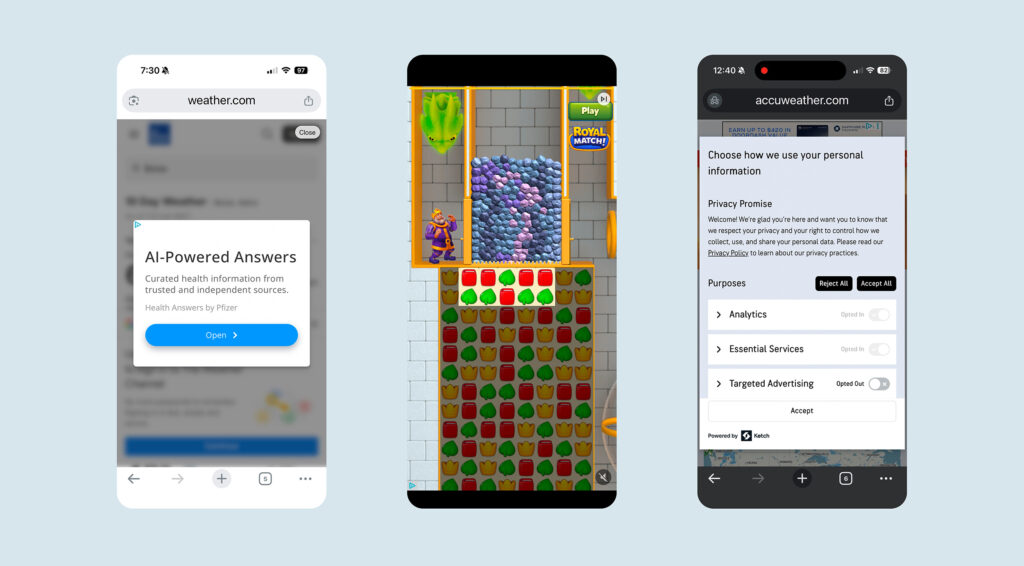
The most significant pain point in the free versions is the ads. Both AccuWeather and The Weather Channel interrupt users with full-screen advertisements. Often, they use a time interval delay before showing the close icon. And sometimes, as with AccuWeather, they don’t offer a close CTA at all. Basically, it’s a dead end that forces the user to quit the app and restart. It’s incredibly frustrating—and part of what drove me to write this article.
Are these weather-app subscriptions worth the money?
I tried the premium subscription to The Weather Channel to see if it was worth paying for to avoid the frustrating full-screen ads and the dead-end flows that free users must endure just to use the iOS app.
I paid $29.95 for the premium version. Here’s what I liked and didn’t:
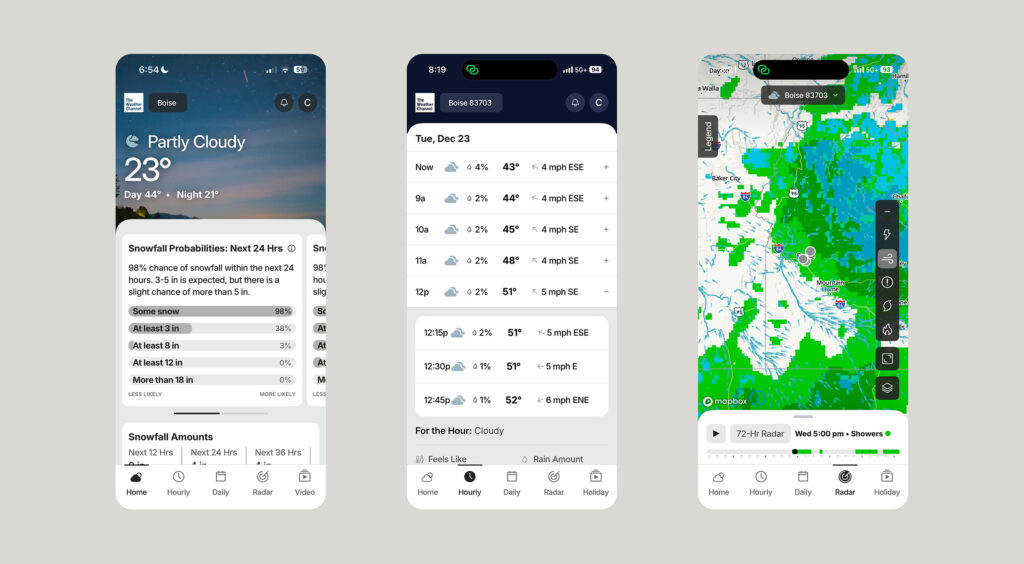
- 72-hour radar — This was good. Much better than the 24-hour version and something I might actually use.
- 15-minute interval forecast on the hourly screen — I found this less helpful.
- 30-mile lightning map — I live in Boise, Idaho. I can’t remember the last time we had lightning, or even a big rainstorm. Not a big deal to me.
- No ads (again) — The slide-in video ads on the desktop web app and the full-screen takeovers on the iOS app are major UX killers. I sometimes wonder if they make the free UX intentionally painful to push people toward the $29.95 upgrade.
Apple Weather shows how far thoughtful design can go
While there are millions of paid weather apps in the app stores, Apple has quietly continued to refine and design a great free version. First shipped in 2007 with the very first iPhone, it included data from Yahoo Weather, which in turn pulled from Weather.com.
The latest version, iOS 26UX, is nearly flawless—something you’d expect from Apple. But there are a few things The Weather Channel app offers that Apple does not:
- Hourly listing limited to 24 hours
- Radar is limited to 12 hours
- Long-range forecast limited to 10 days
Of course, there are no ads, and it comes bundled with the newer desktop versions of macOS and iOS. If you want a clean, ad-free look at the weather, Apple will probably work just fine.
The real value question
After using the Weather.com iOS app for several weeks, I can say I like it—but will everyone agree? As with most UX decisions, it depends. If you want more detailed forecasts and absolutely hate ads, then yes—the $29.95 I spent on The Weather Channel app is probably worth it.
But if all you need is a quick, reliable answer to “What’s the weather like?”, paying to avoid friction starts to feel like the wrong trade-off.
No Comments.